TL;DR: Detecting activity is only the first step in effective security. Video verification adds context to determine whether an alert is a real threat, and a predetermined response plan ensures the right action follows. The strongest security workflow combines AI detection, human judgment where needed, and a clear Detect → Verify → Respond process so businesses can act while an incident is still happening. Your camera detects a person walking through your equipment yard at 2:13 a.m.
Good. The system noticed something.
But what happens next?
Is that person trying to steal equipment? An employee working late? A delivery driver who arrived early? A contractor who still has access? Or someone who wandered into the wrong place?
Detection tells you that something happened. It does not automatically tell you what it means or what should happen next.
That is why video verification and response matter just as much as detection. An effective security system should do more than generate an alert. It should help determine whether the activity is a real threat and trigger a clear response while there is still time to do something about it.
What Is Video Verification?
Video verification is the process of reviewing video associated with a security event to determine what actually caused the alert before deciding how to respond.
Consider what a typical security alert tells you:
- Motion detected
- Person detected
- Vehicle detected
- Perimeter crossed
- Door opened
- Alarm activated
Each alert gives you information, but leaves an important question unanswered: Is this actually a threat?
A person walking through a parking lot could be an employee or an intruder. A van pulling onto the property could be a scheduled delivery or someone scouting vehicles. Motion near a fence could be a trespasser, wildlife, weather, or debris.
Video verification provides the context needed before a response decision is made.
With Hoosier Security’s SiteWatch video monitoring, operators visually review alarm events and determine whether activity appears legitimate, suspicious, or actionable. Hoosier describes visual verification as a way to distinguish valid trespassing events from nuisance activity before authorities are unnecessarily dispatched.
That is the difference between receiving an alert and knowing what that alert actually means.
Why Isn't AI Detection Enough by Itself?
Modern AI video analytics are extremely useful because they can monitor more activity than any person reasonably could.
Depending on the system and configuration, analytics can identify:
- People entering defined areas
- Vehicles arriving or moving through a property
- Perimeter crossings
- Loitering
- Activity in restricted areas
- Movement during specific hours
- Other predefined events
SiteWatch uses AI monitoring across camera feeds to identify activity such as trespassing, break-ins, and suspicious behavior while filtering out irrelevant activity. When a potential threat is detected, the system can alert a live operator for intervention.
AI is very good at answering: “Did something happen that matches the conditions we told the system to watch for?”
That is not always the same as answering: “What does this situation mean, and what should we do about it?”
After analytics does its job by identifying activity, context needs to be added to the event.
How Does the Detect → Verify → Respond Process Work?
An effective monitored security system should answer three separate questions:
- What happened?
- Does it require action?
- What are we going to do about it?
That creates a simple workflow:
1. Detect: Technology Identifies Activity
Detection starts with your cameras, sensors, alarms, and analytics.
The system watches the areas where your organization has determined activity matters most. Depending on the property, that could include:
- Fleet parking areas
- Outdoor equipment
- Fenced storage yards
- Loading docks
- Construction materials
- Building entrances
- Gates
- Vacant properties
- Restricted areas
- Exterior mechanical equipment
AI analytics can continuously monitor these areas and identify activity that matches predefined rules.
That is where AI creates enormous value.
Instead of asking a person to stare at dozens of camera feeds all night, analytics narrow hours of video down to the events that may actually require attention.
SiteWatch can also integrate monitoring with existing commercial cameras in many applications. Its current SiteWatch platform describes using a plug-in device to connect existing commercial camera systems to AI-powered monitoring rather than automatically replacing the entire camera infrastructure.
Detection is the first step.
It should not be the last.
2. Verify: Determine What Is Actually Happening
Once an event is detected, someone or something needs to determine whether it requires action.
This is where video verification and human judgment become important.
A trained operator reviewing an event can consider information that is difficult to communicate through a basic push notification:
- What is the person doing?
- Where exactly are they?
- What time is it?
- Are they approaching vehicles, doors, equipment, or inventory?
- Are they moving through the property normally?
- Are they testing access points?
- Does their behavior appear consistent with legitimate business activity?
- Has the site identified special circumstances that would explain the activity?
This does not mean the AI failed.
The AI and operator have different jobs.
AI identifies activity quickly. Human verification adds context where context matters.
Hoosier’s guidance on after-hours monitoring makes the same distinction. A motion event might be caused by a person, animal, shadow, blowing debris, or a legitimate threat. With video verification, operators can visually review the event rather than forcing a manager to guess what happened from an alert alone.
3. Respond: Follow a Predetermined Action Plan
Verification is valuable only if something happens after the event is confirmed.
The third step is response.
Depending on the property, threat, and response plan, SiteWatch operators may be able to:
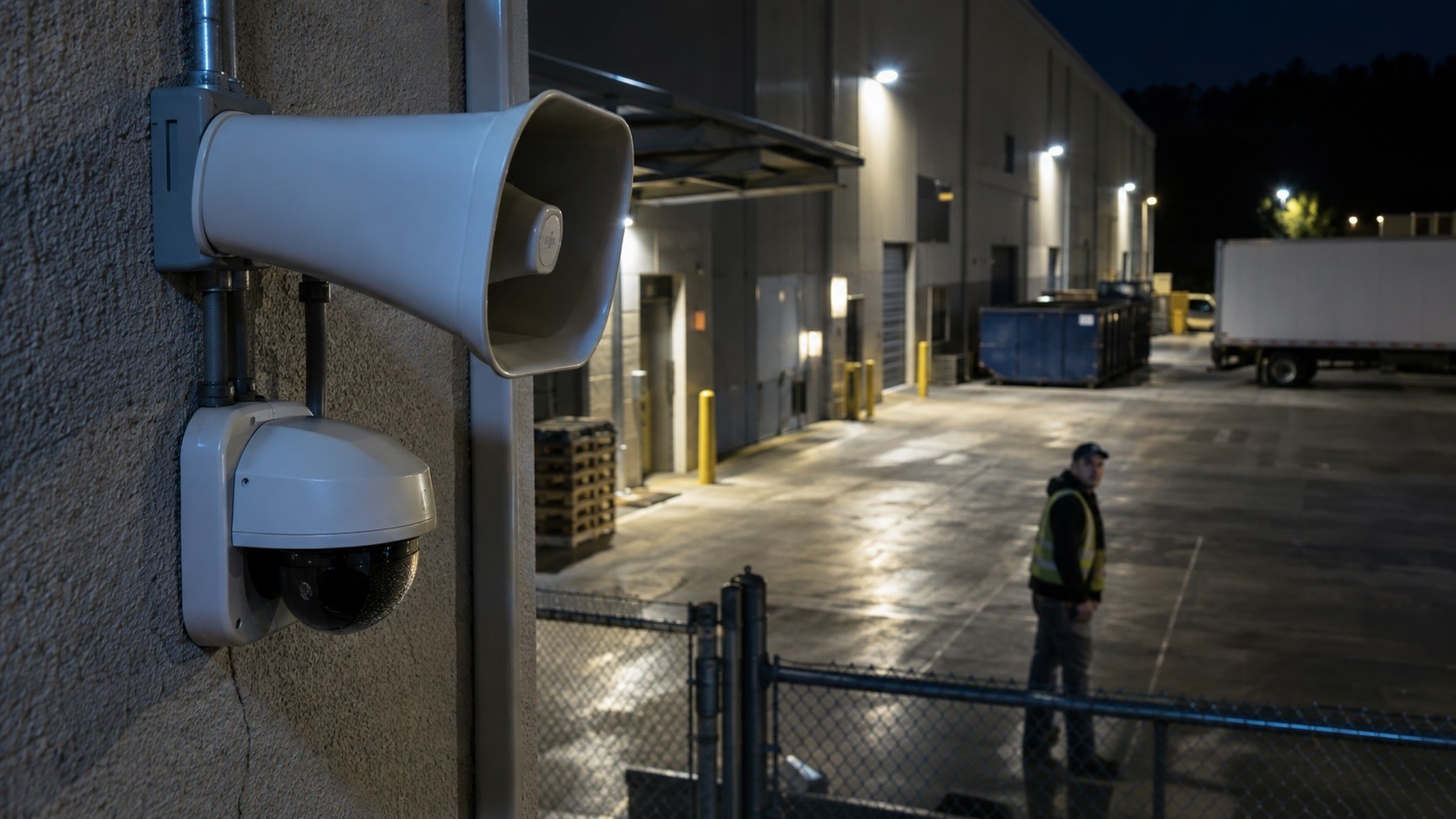
- Issue a live onsite audio warning
- Activate an alarm or other deterrent
- Contact a predetermined manager or site representative
- Dispatch law enforcement when appropriate
- Provide responding authorities with information about the verified event
- Preserve video for incident documentation
SiteWatch describes its current workflow as AI detection followed by live operator intervention, with operators able to provide an onsite audio warning or dispatch law enforcement with visual confirmation when appropriate.
The important part is not simply having response options.
It is determining before an incident happens which response should be used and when.
Nobody should be inventing the escalation process at 2:00 a.m.
Where Does the Human in the Loop Matter?
AI and human monitoring are sometimes treated like competing approaches.
For commercial security, that misses the point.
The better question is: Which parts of the job should technology handle, and which decisions benefit from human judgment?
AI excels at scale.
It can continuously analyze multiple camera feeds, apply predefined rules, detect people or vehicles, and identify activity much faster than someone manually watching every camera.
Human operators become valuable when interpretation is required.
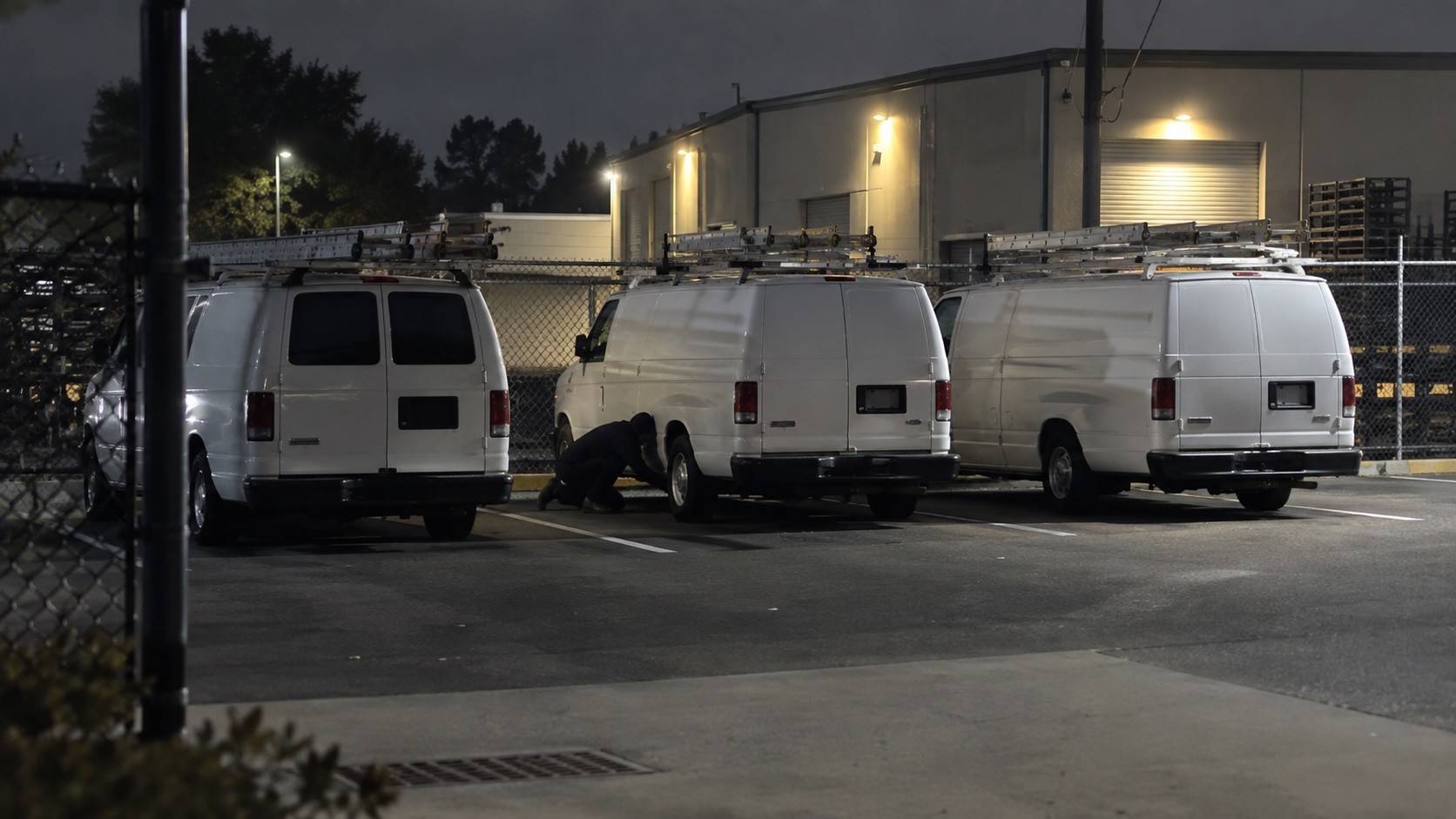
Consider a home services company with 30 work vans parked in a fenced lot overnight.
At 2:00 a.m., a camera detects someone walking toward the vans.
The AI does not need to determine whether that person’s intentions are criminal. Its job is to recognize that a person has entered an area where people normally should not be at that time.
The operator can review what happens next.
Someone walking directly toward several vans, looking underneath vehicles, and moving between them creates a very different situation than an authorized employee entering one van and leaving.
Neither the technology nor the human has to do everything.
AI provides speed and scale. Human verification provides context and judgment.
Together, they create a more useful security workflow.
Why Are Predetermined Response Plans So Important?
Imagine two businesses receive the same alert.
A person is detected inside a fenced equipment yard at 1:30 a.m.
Company A has cameras and automated notifications.
Three managers receive the alert.
One is asleep.
One assumes someone else will handle it.
The third opens the camera app several minutes later and starts trying to determine what happened.
Company B has already defined what happens when a person enters the yard after hours.
The activity is detected.
An operator reviews the event.
The activity is determined to be unauthorized.
The predetermined response protocol begins.
The difference is not necessarily better cameras.
It is a better process.
A commercial security response plan should answer questions such as:
- Which areas require monitoring?
- What types of activity should trigger an event?
- What hours require different monitoring rules?
- What counts as suspicious or unauthorized?
- When should live talk-down be used?
- When should a manager be contacted?
- Who should be contacted first?
- When should law enforcement be notified?
- What happens when an event cannot be clearly verified?
- How should incidents be documented afterward?
Your technology should support that process.
It should not leave your employees figuring everything out after an alert arrives.
How Does Video Verification Help Reduce Alert Fatigue?
A security system that constantly interrupts people with irrelevant alerts eventually creates another problem.
People stop paying attention.
Facilities managers, operations leaders, property managers, and business owners know how quickly alert fatigue can set in.
The first alert gets immediate attention.
So does the second.
After dozens of notifications caused by animals, passing cars, shadows, blowing debris, or normal employee activity, every new alert starts to feel less urgent.
Traditional motion alerts are particularly susceptible to this problem because basic motion detection does not understand why something moved.
SiteWatch identifies alert noise as one of the weaknesses of traditional camera systems. Its monitoring approach combines AI analysis with operator response so suspicious activity can be evaluated before intervention.
That changes the objective.
Your goal should not be to make your cameras tell you about everything.
Your goal should be to identify the activity that requires attention.
Your operations manager should not have to become the overnight security desk because something moved across a camera at 3:00 a.m.
Why Does Verification Matter for Police Response?
Traditional alarm systems often tell a monitoring center that a sensor activated.
They may not explain why.
Video provides more information.
Hoosier’s SiteWatch system sends video associated with an alarm activation to an operator, allowing the operator to visually assess the situation before determining whether police dispatch is appropriate. When a valid trespass is confirmed, the operator can communicate information about the verified event to responders.
That matters because there is a meaningful difference between: “An alarm went off.” and “A person is currently inside a restricted storage yard and appears to be approaching equipment.”
Video verification does not guarantee a specific police response time. Response depends on the incident, jurisdiction, call priority, available resources, and other local conditions.
What verification can provide is better information about what is actually happening.
How Hoosier Helped a Construction Company Stop Outdoor Theft with SiteWatch
One construction materials company came to Hoosier Security with a problem that cameras alone had not solved.
The company was losing nearly $20,000 per month in outdoor inventory theft. They already had cameras in place, but those cameras were mostly helping document what happened after the fact.
Hoosier added SiteWatch monitoring to give the company a way to detect suspicious activity, verify what was happening, and respond while an incident was still in progress.
The difference was significant.
After SiteWatch was deployed, the customer reported no additional theft losses from the property. Verified video dispatch also helped improve police response in this specific case, with the customer reporting an average response time of about six minutes compared with roughly 20 minutes before SiteWatch was in place.
Those results are specific to this customer and will vary by property, incident, and jurisdiction. But the takeaway is clear:
The cameras were already there. What changed was the response.
That is exactly why detection alone is not enough. The real value comes from having a process that can detect, verify, and respond before the incident is over.
Which Businesses Benefit Most From Video Verification?
Video verification is particularly useful where valuable property remains exposed during periods when few or no employees are onsite.
Examples include:
Home Service Companies
HVAC, plumbing, electrical, roofing, and other contractors may have dozens of vans containing tools, equipment, fuel, and valuable vehicle components sitting unattended overnight.
Moving Companies
Box trucks and vans create multiple theft targets, from tools and equipment to fuel and catalytic converters.
Logistics and Transportation Companies
Truck yards, trailers, gates, loading areas, and parked vehicles often remain active outside normal business hours.
Manufacturers
Outdoor inventory, scrap materials, employee entrances, utility areas, loading docks, and equipment can all create after-hours exposure.
Industrial Property Managers
Shared parking areas, loading zones, vacant suites, vendor traffic, and tenant activity make it difficult to determine whether every after-hours event is legitimate.
Construction Companies
Tools, copper, materials, generators, vehicles, and heavy equipment may be left on sites that change constantly as construction progresses.
Churches and Houses of Worship
Large buildings and parking areas can sit mostly unoccupied for long stretches of the week while still containing equipment, technology, and other valuable property.
Any Business Operating a Fleet
When commercial vehicles sit unattended overnight, the ability to detect and respond to activity around those vehicles can matter just as much as having footage available the next morning.
What Should You Ask Before Adding Video Verification?
Do not evaluate a monitoring solution based only on whether the provider says it uses AI.
Ask what happens from beginning to end.
Use this checklist:
- What causes an alert?
- Can analytics distinguish people and vehicles from general motion?
- Can monitoring rules change based on time of day?
- Who reviews the event after detection?
- What information can the operator see?
- Can the operator access live video?
- Can the system support live audio talk-down?
- What happens after an event is verified?
- Who determines when law enforcement should be contacted?
- Can we customize the response protocol for our property?
- Can the solution integrate with our existing cameras?
- How are incidents documented?
- Who receives notifications after an incident?
- What happens if part of the system stops working?
The answers will tell you far more about the effectiveness of the system than an AI feature list.
Security should be evaluated as an operating process: Detect → Verify → Respond.
A weakness in any one of those steps weakens the entire workflow.
Frequently Asked Questions About Video Verification
What is video verification in a security system?
Video verification uses live or recorded video associated with an alarm or analytic event to determine what caused the alert before deciding how to respond. It adds context that a motion sensor, alarm signal, or automated notification cannot provide by itself.
What is the difference between detection and video verification?
Detection identifies activity such as a person, vehicle, perimeter crossing, or motion event. Video verification reviews the associated footage to help determine whether that activity is legitimate, suspicious, or requires intervention.
Put simply, detection answers “Did something happen?” Verification helps answer “Does something need to happen next?”
Can AI replace human security monitoring?
AI can automate a significant amount of detection and filtering, but some events still benefit from human judgment. AI can identify activity across many cameras quickly, while trained operators can review context and follow predetermined response procedures when intervention may be necessary.
What happens after a security event is verified?
The response depends on the property’s predetermined plan. Options may include an onsite audio warning, alarm activation, notification of designated employees, incident documentation, or law enforcement dispatch when appropriate.
Can SiteWatch work with existing cameras?
SiteWatch says its current AI monitoring platform can connect to existing commercial camera systems using a small plug-in device, meaning a business may be able to add monitoring without replacing its entire camera system. Compatibility should be confirmed for each property and camera environment.
Does video verification eliminate false alarms?
No security system can guarantee that every nuisance event will disappear. Video verification can help reduce unnecessary responses by providing additional context before an event is escalated.
Proper camera placement, analytics configuration, monitoring rules, site conditions, and response protocols all affect performance.
Your Cameras Should Do More Than Tell You What Happened
There will always be value in recorded video.
When something happens, you need evidence.
But if you are protecting vehicles, inventory, equipment, buildings, or other high-value assets, there is another question worth asking: Can your security system help you do something while the incident is still happening?
That requires more than detection.
It requires technology that can identify relevant activity.
It requires video verification that adds context.
And it requires a response plan that turns information into action.
Detect. Verify. Respond.
That is the difference between an alert and an outcome.
Your cameras should not just be witnesses.
They should be part of a security process built to identify problems early enough for someone to act.
Schedule a Site Security Walkthrough
The best place to start is your own property.
A Site Security Walkthrough gives Hoosier Security a chance to look at your current cameras, vulnerable areas, after-hours activity, fleet or equipment exposure, and existing response process. From there, the team can identify where detection, verification, and response may need to improve.
The Experience Center comes next, once there is a clearer understanding of what your site actually needs.
Call 317-644-0570 to schedule your Site Security Walkthrough.
See where your current security process is working, where the gaps are, and what should happen next when a real threat is detected.