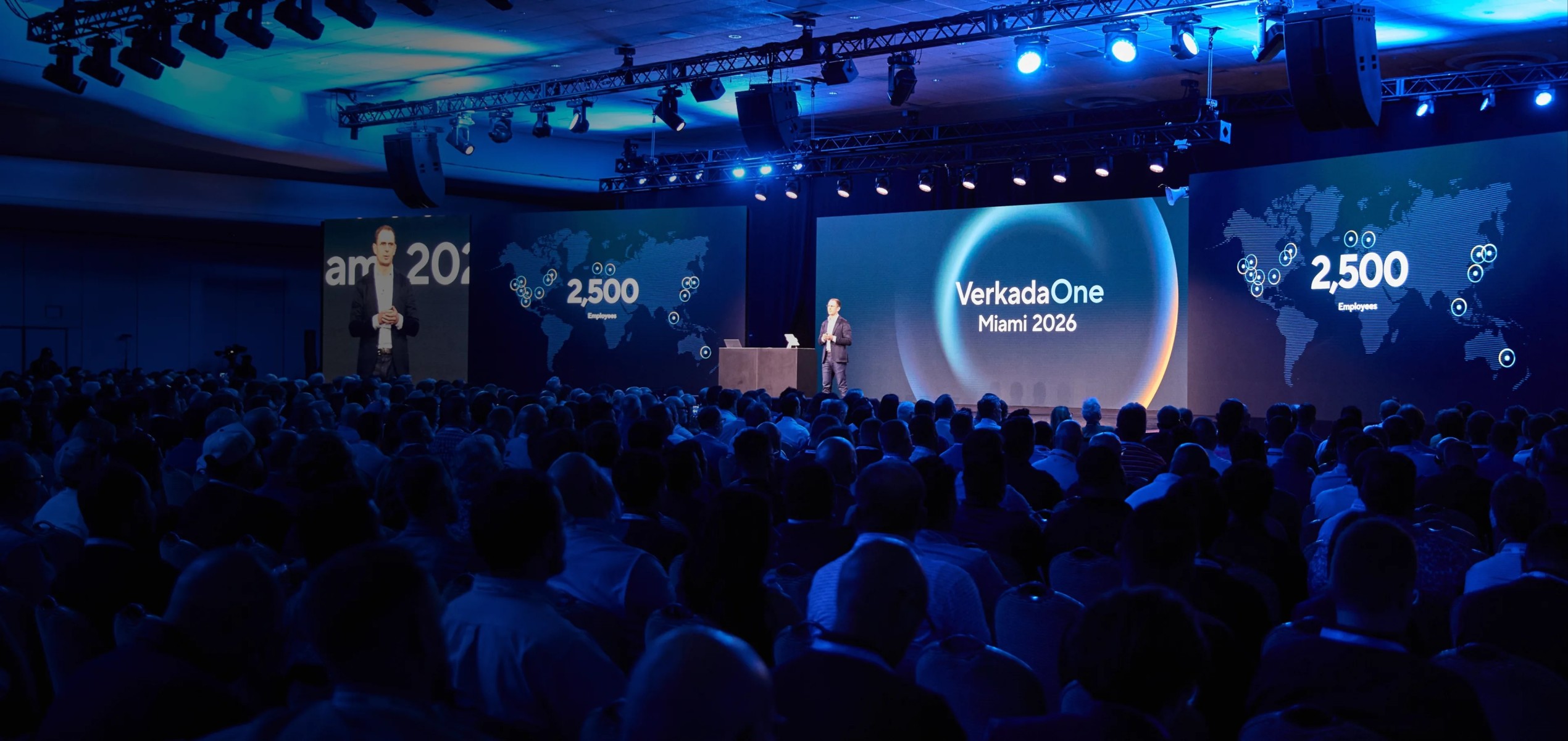
Verkada announced a lot at VerkadaOne 2026.
More than 2,500 IT and physical security leaders gathered in Miami as the company introduced two new product families, 25 new hardware products and devices, and more than 50 software and AI features.
That is a lot for any IT director, facilities leader or security team to sort through.
We were there, and our biggest takeaway was not that businesses suddenly need dozens of new products. It was that physical security platforms are continuing to expand beyond traditional cameras, alarms and doors. Security data is becoming more useful during live incidents, more connected to everyday operations, and increasingly accessible through AI.
The question for buyers is much simpler: Which of these developments actually matter to your organization?
TL;DR: VerkadaOne 2026 introduced dozens of new products and capabilities, but Verkada Catalyst deserves particular attention because it connects Verkada Command to ChatGPT, Claude and Gemini through a read-only AI connection. Existing Verkada customers should also look closely at improvements to investigations, alerts and facility visibility, while products such as Transportation, Sound Systems and drone integrations may make more sense to plan for or watch rather than immediately adopt.
What did Verkada announce at VerkadaOne 2026?
The individual announcements covered almost every part of the Verkada ecosystem.
The biggest developments fall into five groups:
- AI and software: Verkada Catalyst, live Unified Timeline, new AI-powered alerts and expanded integrations
- New product families: Verkada Transportation and Verkada Sound Systems
- Access and intercom: the TK74 Touchscreen Intercom, AW33 Wireless Access Controller, AI-assisted intercom workflows and employee check-in
- Alarms: the BP42 Alarm Panel, Better Sensor Protocol and fire alarm monitoring
- Cameras and platform expansion: thermal cameras, new government-focused camera models, Verkada Maps and a private-beta Skydio drone integration
The broader direction matters more than the number of announcements.
Cameras, access control, alarms, intercoms, vehicles and other systems are increasingly feeding information into a connected operational environment rather than functioning as isolated security products. ANM reached a similar conclusion in its post-event analysis, describing VerkadaOne as part of a shift toward physical security as a connected operational platform.
That builds on a trend we have discussed before in our guide to unified security platforms.
But one VerkadaOne announcement takes that concept a meaningful step further.
What is Verkada Catalyst, and can you really connect security cameras to ChatGPT, Claude and Gemini?
Yes, although “connecting cameras to ChatGPT” oversimplifies what is actually happening.
Verkada Catalyst is Verkada’s Model Context Protocol, or MCP, connection for Command. It allows organizations to connect approved third-party AI platforms such as ChatGPT, Claude and Gemini to information available through Verkada Command. Verkada explains the architecture, supported AI platforms and current beta status in its Open Platform update introducing Verkada Catalyst.
MCP is simply a standardized way for an AI system to interact with external tools and information.
For most buyers, the protocol itself is less important than what Catalyst lets their teams do.
What does Verkada Catalyst actually do?
Catalyst allows users to use normal language to create reports, workflows and integrations instead of writing custom code for every request.
For example, Verkada has demonstrated prompts that analyze occupancy, queue and conversion trends across multiple sites. Other examples include checking whether shelves are stocked, identifying offline cameras or sensors so an IT ticket can be created, and combining operational information with security data.
That takes natural-language interaction beyond simply searching video.
We have already seen how natural language video search can shorten investigations. Instead of manually reviewing hours of footage, a user can describe what they are looking for.
Catalyst expands the idea from “help me find something in my cameras” toward “help me understand and use the information inside my physical security platform.”
Is it safe to connect AI to your security system?
This is the part IT leaders should pay particular attention to.
Catalyst gives AI agents read-only tools for interacting with Command. Verkada also describes the integration as being limited to approved third-party AI platforms.
In practical terms, Catalyst is designed so the AI can retrieve permitted information without giving that AI authority to change the underlying physical security environment.
That is an important distinction.
An AI assistant that can analyze data is very different from an AI assistant being given control over doors, settings or other security functions.
For organizations beginning to connect AI to important business platforms, read-only access is a sensible place to start. It creates room to test whether a workflow is actually useful before expanding what technology can access or influence.
It does not remove the need for governance.
IT and security teams should still determine:
- Which AI services are approved?
- Which users can establish those connections?
- What information can the AI access?
- What business data might be combined with security information?
- Who reviews AI-created workflows and reports?
- What should remain outside the AI environment entirely?
Those questions should be answered before the technology becomes part of an everyday workflow.
Is Verkada Catalyst worth acting on now?
For organizations already using Verkada and actively evaluating enterprise AI, it is worth starting the conversation now.
That does not mean rolling it out across the business.
As of this writing, Verkada describes Catalyst as a private beta and directs interested customers to contact their Verkada representative for access.
The better approach is to identify one practical, read-only use case and involve IT from the beginning.
Start small. Decide what information the AI actually needs. Determine how success will be measured.
That approach is much more useful than adopting AI because the feature happens to be new.
It also reinforces a theme we have explored in our discussion of AI and automation in physical security: AI creates the most value when it solves a defined problem rather than becoming the strategy itself.
What should existing Verkada customers pay attention to right now?
Some of the most useful VerkadaOne developments are software improvements rather than new boxes to install.
One is the continued development of Unified Timeline.
The new live functionality is designed to help teams follow a person across camera views while an incident is still occurring rather than relying exclusively on investigation after the fact. Verkada is also bringing access-control information into Unified Timeline to give investigators more context as they reconstruct or follow activity.
That is a practical improvement.
When something is happening right now, the security team should spend its time understanding the incident, not bouncing between disconnected camera feeds and access records.
Verkada also announced new alerts for:
- Blocked doors
- Wrong-way driving
- Retail concealment
- Grab-and-run activity
- Shipping container identification through Transport Number Mode
These alerts will not be equally useful to every organization.
A manufacturer may care about a blocked emergency or operational door. A logistics facility may find wrong-way driving or container identification more relevant. Retail has an entirely different set of problems.
The right question is not, “Which alerts can we turn on?”
It is, “Which events do we actually need to know about?”
That distinction is important with any AI video analytics system. More alerts do not automatically create better security. Relevant alerts do.
Verkada is also expanding Maps, giving teams a more visual way to understand devices, activity and alerts within a facility. That can be especially useful in large facilities, campuses and multi-building environments where knowing where something is happening is part of understanding what is happening.
Which new Verkada products are worth planning for?
Several hardware announcements make sense as 2027 planning conversations, particularly when they match a project that is already coming.
TK74 Touchscreen Intercom
The TK74 is a seven-inch touchscreen intercom designed for multi-tenant environments and includes capabilities such as directories and Face Unlock for enrolled users.
For multifamily properties, that makes it worth considering when an intercom or entry system is already due for replacement.
It does not mean a working intercom suddenly needs to come off the wall.
Products from Verkada, Swiftlane and other manufacturers solve different problems. Compare the actual resident, visitor and property-management workflows rather than buying from a feature list.
AW33 Wireless Access Controller
The AW33 expands Verkada’s wireless access-control options.
That could be particularly useful in retrofit situations where running new wiring to every opening would make an otherwise straightforward access-control project expensive or disruptive.
Again, the building determines whether that matters.
BP42 and expanded alarm capabilities
Verkada also introduced the BP42 Alarm Panel for smaller sites and its Better Sensor Protocol, which expands the number of addressable sensors that can be connected across a deployment. Verkada has also introduced cloud-managed fire alarm monitoring alongside its broader intrusion capabilities.
Organizations looking to consolidate monitoring should include those capabilities in future commercial alarm system conversations.
Fire systems have their own design, code and jurisdictional requirements, so monitoring should always be evaluated within the requirements of the existing fire system.
Thermal and government-focused cameras
Verkada’s new thermal camera line is another announcement with a clear use case.
The CTB63 combines standard and thermal imaging and is intended for conditions where traditional video may struggle, including darkness, distance and challenging environmental conditions. Verkada also announced six government-focused camera models designed around FIPS 140 encryption requirements and TAA and NDAA compliance.
Thermal is not necessary everywhere.
For sites with difficult perimeters, however, thermal technology deserves consideration alongside established options such as Teledyne FLIR.
Which VerkadaOne announcements should most businesses wait on?
A good integrator should be willing to tell you when not to buy something.
There are several VerkadaOne announcements we think most organizations should watch before making them a priority.
Verkada Transportation
Verkada Transportation extends Command into fleets with ruggedized vehicle cameras, a 5G and Wi-Fi gateway, vehicle diagnostics, GPS-based search, driving information and vehicle-health data. Passenger face blurring is also built into the platform.
That could be meaningful for school districts and organizations managing substantial fleets.
It is also a new product family.
Organizations that already have a working fleet platform should not replace it simply to consolidate another system into Command.
Watch how Transportation performs in real deployments first.
Verkada Sound Systems
Verkada Sound Systems brings music, paging and announcements into the Command environment.
One of the more practical parts of the announcement is that Verkada’s Network Audio Players can connect existing third-party speakers and amplifiers to Command. That means organizations may be able to adopt cloud management without replacing every existing speaker.
That makes the product worth knowing about.
It does not create a reason to rip out an audio system that already works.
Skydio drone integration
Verkada also showed an integration that can automatically dispatch a Skydio drone when a designated Command alert is triggered. Drone footage can then be viewed inside Command alongside nearby camera feeds.
That is one of the more interesting demonstrations from VerkadaOne.
It is also currently a private beta.
More importantly, drone response requires a real operational use case, a properly managed drone program and compliance with applicable FAA requirements.
For most organizations, this belongs firmly in the watch category today.
What should you act on now, plan for or watch?
Here is how we would sort the major announcements today.
Act Now | Plan For | Watch |
Verkada Catalyst: Start the conversation with IT and identify a small read-only AI use case. | TK74 Intercom: Consider for upcoming multi-tenant or multifamily entry projects. | Verkada Transportation: Promising for fleets, but still a new Verkada product category. |
Unified Timeline: Evaluate how live investigation tools could improve incident response. | AW33 Wireless Access Controller: Evaluate for upcoming access-control retrofits. | Sound Systems: Consider when existing audio needs replacement or centralized management becomes valuable. |
New AI alerts: Identify the handful tied to actual risks at your site. | BP42 and expanded monitoring: Include in upcoming alarm-system planning where the architecture fits. | Skydio integration: Interesting for specialized operations, but still private beta and dependent on a broader drone program. |
Maps and visualization: Explore where better spatial context would help security teams understand incidents faster. | Thermal cameras: Consider for sites with legitimate perimeter, low-light or environmental challenges. | |
Catalyst beta: Determine whether your organization has a strong enough use case to request beta access. | Government-focused cameras: Evaluate where compliance requirements make these capabilities relevant. |
These categories are not permanent.
As products get deployed, customer results come back and software evolves, some technologies will move from “watch” to “plan,” or from “plan” to “act.”
That is how security technology should be evaluated.
Not by announcement date. By usefulness.
How do you know if a new security feature is right for your building?
The simplest way to evaluate new technology is to stop asking whether the feature is impressive.
Ask whether it fixes something.
Before adding a new camera, AI integration, controller or monitoring capability, work through these questions:
- Does it solve a problem we have today? Start with the risk, workflow or operational problem.
- Can our infrastructure support it? Cloud-managed does not mean infrastructure-free. Network capacity, connectivity and power still matter.
- Does it work with what we already own? Replacing working equipment can erase the value of a new feature quickly.
- Who supports it after installation? A system is only useful if it still works six months or three years from now. That is why service programs such as Just Fix It belong in the technology conversation.
- Has it been proven in the field? A successful keynote demonstration and a mature deployment are not the same thing.
- For AI features, what information can the AI see? Know what data is accessible, who approved the connection and what controls surround it.
That final question is going to matter more every year.
Security systems are increasingly part of the same AI, cloud and data-governance conversations IT teams are already having elsewhere in the organization.
Our guide to what organizations get wrong about cloud security covers several of the same questions buyers should be asking when evaluating a connected platform.
Why does the security integrator matter as much as the platform?
A manufacturer can release a useful feature.
That does not mean it automatically belongs in your building.
Someone still has to determine where it fits, configure it correctly, integrate it with the rest of the environment and support it after installation.
That is one reason Hoosier works with multiple platforms rather than forcing every customer into the same ecosystem.
Our own employee installation teams handle deployment, and programs such as Just Fix It help address what happens after the original project is finished.
New technology should give you another option, not another reason to buy something you do not need.
FAQ
What is Verkada Catalyst?
Verkada Catalyst is a Model Context Protocol, or MCP, integration that allows approved third-party AI platforms to access information from Verkada Command.
It gives AI agents read-only tools that can be used to create reports, workflows and integrations through natural-language instructions. Catalyst is currently offered as a private beta.
Can Verkada connect to ChatGPT, Claude or Gemini?
Yes. Verkada Catalyst is designed to connect Command with approved AI platforms including ChatGPT, Claude and Gemini.
The connection is read-only, so the AI is provided tools to interact with permitted information without being given general control over the physical security environment. Organizations interested in Catalyst currently need to request access to the private beta.
When will the VerkadaOne 2026 products be available?
Availability varies by product.
Verkada has said software updates begin rolling out on October 8, 2026, while newly announced hardware is expected to begin shipping during October and November. Catalyst and the Skydio integration are currently described as private-beta features, so organizations should confirm availability for the specific product or capability they are considering.
Can Verkada monitor fire alarms?
Yes. Verkada announced cloud-managed fire alarm monitoring as part of its expanded alarm capabilities.
Fire-system requirements vary by building and jurisdiction. Monitoring should be evaluated alongside the existing fire system and applicable requirements rather than treated as a replacement for proper fire-system design.
Should I choose Verkada or Avigilon Alta?
The answer depends on your existing infrastructure, IT environment, security requirements, operational needs and how your team actually intends to use the system.
Hoosier works with both platforms because there is no universal answer. You can learn more about the Avigilon Alta Cloud Security Suite or compare both approaches in person at the Hoosier Security Experience Center.
Want to see what these VerkadaOne updates actually look like?
You do not have to make a security decision from a keynote, a product announcement or a feature comparison.
See Verkada and Avigilon Alta working side by side at the Hoosier Security Experience Center.
Bring us the problem you are trying to solve. We can help you determine which VerkadaOne developments are relevant now, which ones belong in your next budget and which ones you can safely leave on the watch list.
Schedule an Experience Center visit or call 317-644-0570 to talk with Hoosier Security about which Verkada updates fit your facility.